• Skip to main content
  • Skip to header right navigation
  • Skip to site footer
  • Manage My Account
POPP Communications black logo

POPP Communications

  • Services
    • POPP-Hosted VoIP Phone Systems
    • VoIP Phone Lines and SIP Trunks
    • Small Business IT Essentials
  • Industries
    • Professional Services
    • Warehouse and Distribution
    • Education and Nonprofits
    • Retail Establishment
    • Foodservice and Hospitality
    • Commercial Property Management
  • Company
    • About POPP
    • Why Choose POPP?
    • Community Involvement
    • Technology Partners
    • Careers
    • Decision Center
  • Help Center
  • Contact Us

Yealink T Series Desk Phones

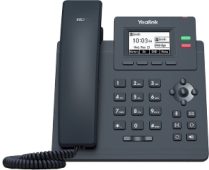
Yealink T31P deskphone

T31P

Manufacturer Datasheet
One-Page User Guide

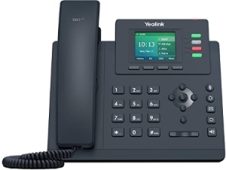
Yealink T33g deskphone

T33G

Manufacturer Datasheet
One-Page User Guide

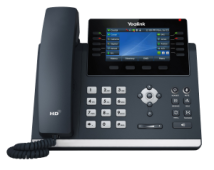
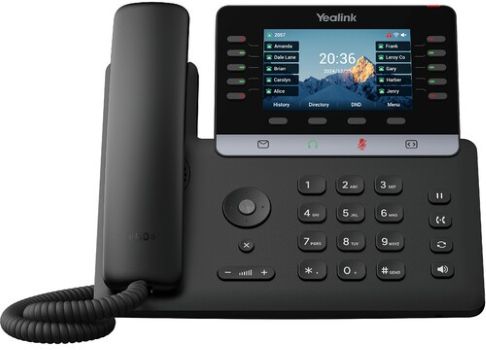
Yealink T46U deskphone

T46U

Manufacturer Datasheet
One-Page User Guide

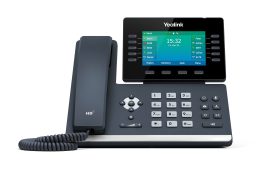
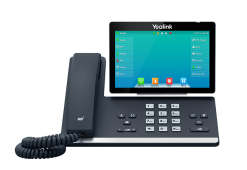
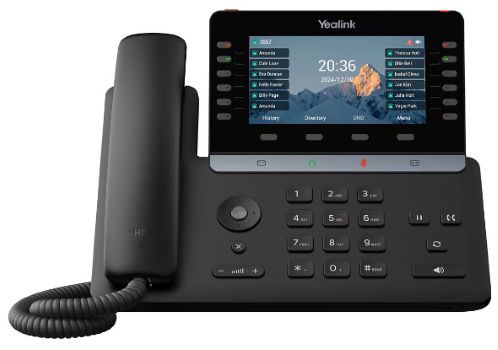
Yealink T54W deskphone

T54W

Manufacturer Datasheet
One-Page User Guide

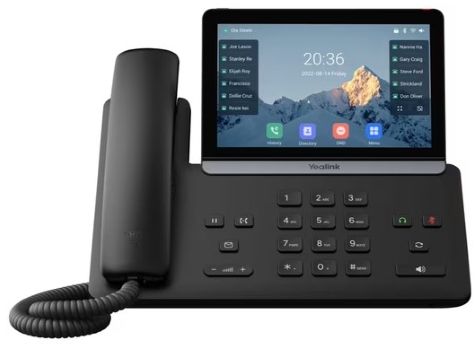
Yealink T57W deskphone

T57W

Manufacturer Datasheet
One-Page User Guide

Yealink SIP-T74U IP desk phone

T74U

Manufacturer Datasheet
One-Page User Guide

Yealink SIP-T85W IP desk phone

T85W

Manufacturer Datasheet
One-Page User Guide

Yealink SIP-T87W IP desk phone

T87W

Manufacturer Datasheet
One-Page User Guide

Training

  • Yealink Desk Phone Features and Functionality

Features

  • Voicemail Access and Management Instructions
  • On-Demand Call Recording with USB Jump Drive
  • Enable Bluetooth and Pair Bluetooth Headset to T46U/T54W/T57W 
  • USB WiFi Adapter User Guide

Additional Information

  • Yealink Telephone Button Configuration in User Portal
  • Yealink Telephone Button Configuration in Admin Portal
  • Yealink Desk Phone and Headset Connection
  • Off-Site Telephone User Guide

Training Videos for Yealink T31P / T33G / T46U / T54G / T57W / T74U / T85W / T87W Desk Phones

Please Note: Feature functionality varies based on your phone’s firmware version. See Yealink User Guides for more information.

Features and Functionality (3:30)
Conference Calls (1:44)
Transfer Calls (2:11)
Call Hold and Call Park (1:16)
Default Softkeys (2:50)
Volume, Audio, Ringtone Settings (2:07)
Enhanced Monitored Extension Keys (1:24)
One-Touch Transfer Keys (0:33)
Paging Key (0:40)
Voice Mail Use and Settings (3:08)
Bluetooth (2:55)
WiFi (2:47)

POPP Communications black logo

763-797-7900
620 Mendelssohn Ave N
Golden Valley, MN 55427

Company

About POPP

  • Servicing Twin Cities Small Business People
  • Why We’re The Best In Many Ways
  • POPP Multitalented People & Proven Practices

Why Choose POPP?

Community Involvement

Technology Partners

Careers

Carrier to Carrier

Terms & Policies

© 2026 POPP Communications. All rights reserved.

POPP-Hosted VoIP Phone Systems

POPP Implementation Process & Expertise

A Work-From-Anywhere Phone System

Customized Incoming Call Experience

Free Lifetime Support + Self Service Options

VoIP Phone System Admin Portal Features

VoIP Phone System User Portal Features

POPP-Programmed Desk Phones

Yealink IP Desk Phones & Accessories

Mobile Softphone Apps

Desktop Softphone Apps

VoIP Phone Lines and SIP Trunks

  • POTS/Land Line Replacement
  • SIP Trunks & PRI/CAS for On-premise PBX
  • Fire Alarm and Elevator Lines

Small Business IT Essentials

  • Microsoft 365
  • Cloud Backup & Storage
  • Help Desk Support

Decision center

What is VoIP? A Twin Cities Business Guide to Voice Over IP (2026)

What is a Cloud Hosted VoIP Phone System? (And is it Right For Your Twin Cities Business?)

Can POPP’s Hosted VoIP Phone System Pay For Itself? (Spoiler: Yes, and Here’s The Math.)

Emergency Readiness for Modern Businesses: Why Your Phone System Matters More Than Ever

What Happens If Your Business Internet Goes Down? Automatic Failover for Twin Cities Businesses Explained

5 Call Recording Benefits: Is It Worth It For Your Business?

POTS Lines Are Going Away: What Twin Cities Businesses Need to Know