
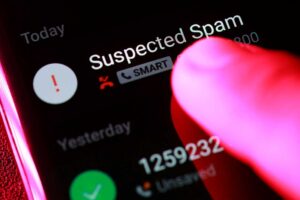
If customers aren’t answering your calls because their phones display “Spam Likely,” “Scam Risk,” “Potential Spam,” or similar warnings, you’re not alone. Many legitimate businesses discover that outbound calls from their phone system are being flagged by wireless carriers and spam detection services.
When calls are being labeled as spam, it does not necessarily mean there is a problem with your phone system, or with your phone service provider. In many cases, the issue stems from how carriers and call analytics providers evaluate calling behavior and assign reputation scores to phone numbers.
This guide explains why business calls get flagged as spam, what causes it, and the steps you can take to reduce the likelihood of it happening.
Why are Business Calls Marked as Spam?
Spam calls are unsolicited and unwanted calls made to consumers. They can originate from telemarketers, robocallers, scammers, or even legitimate businesses conducting high-volume outbound calling campaigns.
Over the last several years, phone carriers have invested heavily in technologies designed to identify and block unwanted calls. These systems analyze billions of calls and attempt to determine which numbers are likely associated with spam activity.
As a result, legitimate businesses can occasionally get caught in the process.
If people you are calling see messages such as “Spam Likely,” “Potential Spam,” or “Scam Risk,” those labels are typically being applied by the receiving carrier—not by your phone provider. Major carriers such as AT&T, Verizon, and T-Mobile use sophisticated analytics systems that evaluate phone number reputation and calling behavior to help protect their customers from unwanted calls.
Many carriers also use information from third-party call analytics providers that maintain databases of business phone numbers and their associated reputations.
What About STIR/SHAKEN?
STIR/SHAKEN is an FCC-mandated framework designed to help verify that caller ID information has not been spoofed. It helps carriers identify the origin of calls and combat illegal robocalling.
While STIR/SHAKEN is an important part of the fight against fraudulent calls, it is not the same thing as spam detection. A call can pass STIR/SHAKEN verification and still be labeled as spam if the receiving carrier believes the calling behavior resembles unwanted or suspicious activity.
Common Reasons Legitimate Business Calls Get Flagged
Every carrier uses its own proprietary algorithms, and the exact criteria are not publicly disclosed. If they were, bad actors could simply adjust their behavior to avoid detection.
However, there are several factors that are widely believed to influence phone number reputation.
High Outbound Call Volume
Spam callers are known for placing large numbers of outbound calls. If your business makes a high volume of calls each day, particularly from a single phone number, it may increase the likelihood of scrutiny.
Low Answer Rates
If most of your calls go unanswered, carriers may interpret this as a sign that recipients do not recognize or trust your phone number.
Large Numbers of Short Calls
Many spam calls are terminated quickly because recipients immediately hang up. A pattern of short-duration calls can negatively impact a phone number’s reputation.
Repeated Calls to the Same Numbers
Repeatedly calling the same recipients over a short period of time can resemble aggressive telemarketing behavior.
Customers Marking Calls as Spam
One of the most significant factors is direct consumer feedback. Modern smartphones make it easy for users to block numbers or report calls as spam. If enough recipients flag your calls, your reputation score can decline regardless of whether your business is legitimate.
Missing Business Identity Information
Phone numbers that are not associated with verified business information may be more likely to be viewed as unknown or suspicious. Maintaining accurate business listings and caller ID registrations can help establish legitimacy.
Options and Resources to Resolve Spam Call Labeling
If your business calls are being marked as “Spam Likely,” “Potential Spam,” or similar warnings, there is no single action that guarantees immediate removal. Each carrier uses its own spam detection systems and reputation scoring methods.
However, there are several steps you can take to improve your phone number’s reputation, verify your business identity, and request correction of inaccurate spam classifications.
The recommendations below are listed in the order we generally suggest businesses approach the issue.
Evaluate Your Calling Practices
Before attempting to remove a spam label, take an honest look at your outbound calling activity.
Ask yourself:
- Are we making large numbers of unsolicited calls?
- Are recipients expecting to hear from us?
- Are people frequently hanging up immediately?
- Are customers asking us to stop calling?
- Are we repeatedly calling the same prospects?
If your calling patterns closely resemble telemarketing or cold-calling campaigns, it is possible that the spam designation is a reflection of how recipients perceive your calls.
While the steps below can help improve your reputation, any improvements may be temporary if recipients continue to report your calls as spam.
If your calls are legitimate business communications and you believe the designation is inaccurate, proceed with the following recommendations.
Register Your Business Phone Numbers
Several major call analytics providers maintain databases of verified business phone numbers. Registering your numbers helps establish your identity and can reduce the likelihood of misclassification.
Consider registering with:
- Hiya: https://www.hiya.com/products/connect/number-registration
- First Orion: https://firstorion.com/register-your-number/
- TNS: https://reportarobocall.com/trf/
These organizations share information with carriers and spam detection platforms that help determine how phone numbers are categorized.
Keep in mind that registration does not guarantee immunity from spam labeling. Phone number reputation continues to be influenced by recipient feedback and calling behavior.
Important: Registration requests must be submitted by the business itself. POPP cannot complete these registrations on your behalf.
Contact Carriers and Spam Analytics Providers
If customers report that your calls are being marked as spam, ask which carrier they use. Each carrier maintains its own process for reviewing and correcting caller ID classifications.
Many carriers provide online forms where businesses can:
- Register their phone numbers
- Submit reputation correction requests
- Report inaccurate spam classifications
- Verify business ownership
Major carriers and spam analytics providers may include:
- AT&T: https://hiyahelp.zendesk.com/hc/en-us/requests/new
- Verizon: https://voicespamfeedback.com/vsf/
- T-Mobile: https://callreporting.t-mobile.com/
- Comcast: https://xfinityspamfeedback.com/xfinity/
- Lumen: https://www.lumen.com/en-us/contact-us/support/robocall-mitigation.html
- Other regional and landline providers: https://www.nomorobo.com/contact
Because each carrier operates independently, approval timelines and outcomes may vary.
Important: Requests must be submitted by the business entity. POPP does not have access to special escalation channels beyond the processes provided by the carriers themselves.
Verify Your Business Information Online
Maintaining accurate business information across the internet helps carriers and analytics providers verify that your organization is legitimate.
At a minimum, your business should maintain a complete and accurate Google Business Profile that includes:
- Business name
- Address
- Phone number
- Website
- Business hours
- Business category
Accurate listings can improve local search visibility and may help ensure that caller ID information is displayed correctly on some devices and networks.
Best Practices to Prevent Future Spam Flagging
While no business can completely eliminate the risk of spam labeling, these best practices can help maintain a healthier phone number reputation.
Use Consistent Caller ID Information
Present a legitimate phone number and business name whenever possible.
Answer Return Calls
Recipients should be able to call your number back and reach your business. Numbers that do not accept return calls may appear suspicious.
Leave Voicemail Messages
If a call goes unanswered, leave a clear voicemail identifying your company and the reason for your call. Calls that end without any message may be more likely to be viewed as unwanted.
Avoid Excessive Repeat Calling
Repeatedly calling the same person in a short period of time can negatively impact perception and reputation.
Respect Customer Preferences
If someone asks not to be contacted, honor that request promptly.
Follow Telemarketing Regulations
Ensure your organization complies with applicable telemarketing and Do Not Call regulations.
https://consumer.ftc.gov/articles/national-do-not-call-registry-faqs
Monitor Customer Feedback
If multiple customers report seeing spam warnings when you call, address the issue early before it becomes widespread.
What If My Calls Are Still Being Marked as Spam?
Spam detection systems are constantly evolving, and there is no single action that guarantees success.
If you have:
- Evaluated your calling practices
- Registered your phone numbers
- Requested corrections from carriers
- Verified your business information
- Followed recommended calling practices
and the issue persists, it may be worth diversifying how you communicate with customers and prospects.
Email, text messaging, social media, customer portals, and direct mail can often complement phone outreach and improve engagement rates.
Final Thoughts
Spam labeling systems are designed to protect consumers from unwanted calls, but legitimate businesses can sometimes be affected as well.
By maintaining responsible calling practices, registering your phone numbers with major call analytics providers, and proactively managing your business identity, you can reduce the likelihood that your calls will be flagged and improve the chances that customers answer when you call.
If you’re a POPP client and have questions about Caller ID, STIR/SHAKEN, or outbound calling best practices, our team is always happy to help.
Concerned Your Business Calls Aren’t Reaching Customers?
Whether your calls are being labeled as spam or you’re looking for guidance on business caller ID best practices, POPP can help you understand the available options and resources.
 What Happens If Your Business Internet Goes Down? Automatic Failover for Twin Cities Businesses Explained